How it works
Share the plans. Review a draft. Present a released model.
Every project follows the same short sequence, with a person checking the work at each step. This page sets out what goes in, what comes back, and the rules that hold it together.
Who does what. The architect owns the drawings and decides what is released. The studio builds and checks the model. Clients and contractors see only what has been released to them, and nothing else.
The sequence
Five steps, from drawing set to presentation.
-
Share authorized plans.
Architect
Submit the current PDF plan set for the project: floor plans for each level, the roof plan, and the sections or elevations that fix heights, together with the sheet index and the revision date. In the pilot workspace the architect submits the set directly; before that, we agree a hand-off.
Once submitted, a plan set is fixed. It becomes the reference that every later model, view and render points back to.
-
Plan review.
Studio
We read the set the way a modeler will, sheet by sheet: scale references, drawing quality, and whether the heights and openings needed for a model are actually documented. You receive a sheet index, a missing-information report, and a fixed quote for the next package.
Ambiguous or unsupported drawings come back with questions. They are never quietly guessed at.
-
Draft model and views.
Studio
From the agreed sheets we build a reviewed massing model, load it into the interactive viewer, and produce four true isometric views and a top or cutaway view. Where a package includes rendered visualizations, they are made from this same model.
Every assumption we had to make, such as an unlabeled parapet height or an unmarked roof pitch, is written into an assumption log that travels with the draft.
-
Architect review.
Architect
Compare the draft against your source sheets side by side. Resolve the assumptions, request corrections, and check the finish palette against the finish key on the drawings. One consolidated correction round is included with each package.
When the draft is right, you approve that specific version. It becomes a release: a fixed, dated record that guests can be invited to.
-
Present the released model.
Architect · Client · Contractor
Invite the practice owner and, if you choose, the contractor. Each invitation names one recipient, the release they may view, the assets included, and an expiry date. Downloads are off unless you switch them on.
Guests see the released version and only that version. You can extend, narrow or revoke any invitation at any time, and the activity log records what happened.
Inputs
What we work from.
PDF plan sets, as issued. We do not need the CAD or BIM source, and we do not alter or return it if it is provided. Legible, scaled sheets with a dated title block make review faster and quotes tighter.
- Needed
- Floor plans for every level; the roof plan; building sections or elevations that fix heights; the sheet index and revision date.
- Helpful
- The exterior and interior finish key; a site plan with north arrow; a reflected ceiling plan for interior views; the door and window schedule.
- Not needed
- CAD or BIM files; furniture and equipment layouts; mechanical, electrical and plumbing drawings; specifications.
Revision rules
A new plan set is a new version, never a silent edit.
When the architect issues a revised set, it goes in as a new plan-set version and produces a new draft. The earlier release is left exactly as it was: guests who were invited to it keep seeing what they were shown until the architect releases the replacement and updates their invitations.
Every model, view and render records the plan-set version, the sheets and the scale it was built from, who reviewed it, and when. Source-plan dates and submission dates are kept separate, so a drawing's revision history is never confused with ours.
Corrections within a package happen inside the one consolidated correction round. Changes to the design itself, or drawings that arrive after the sheets were agreed, are a new version and are quoted as such.
Who sees what
What a client sees, and what an architect sees.
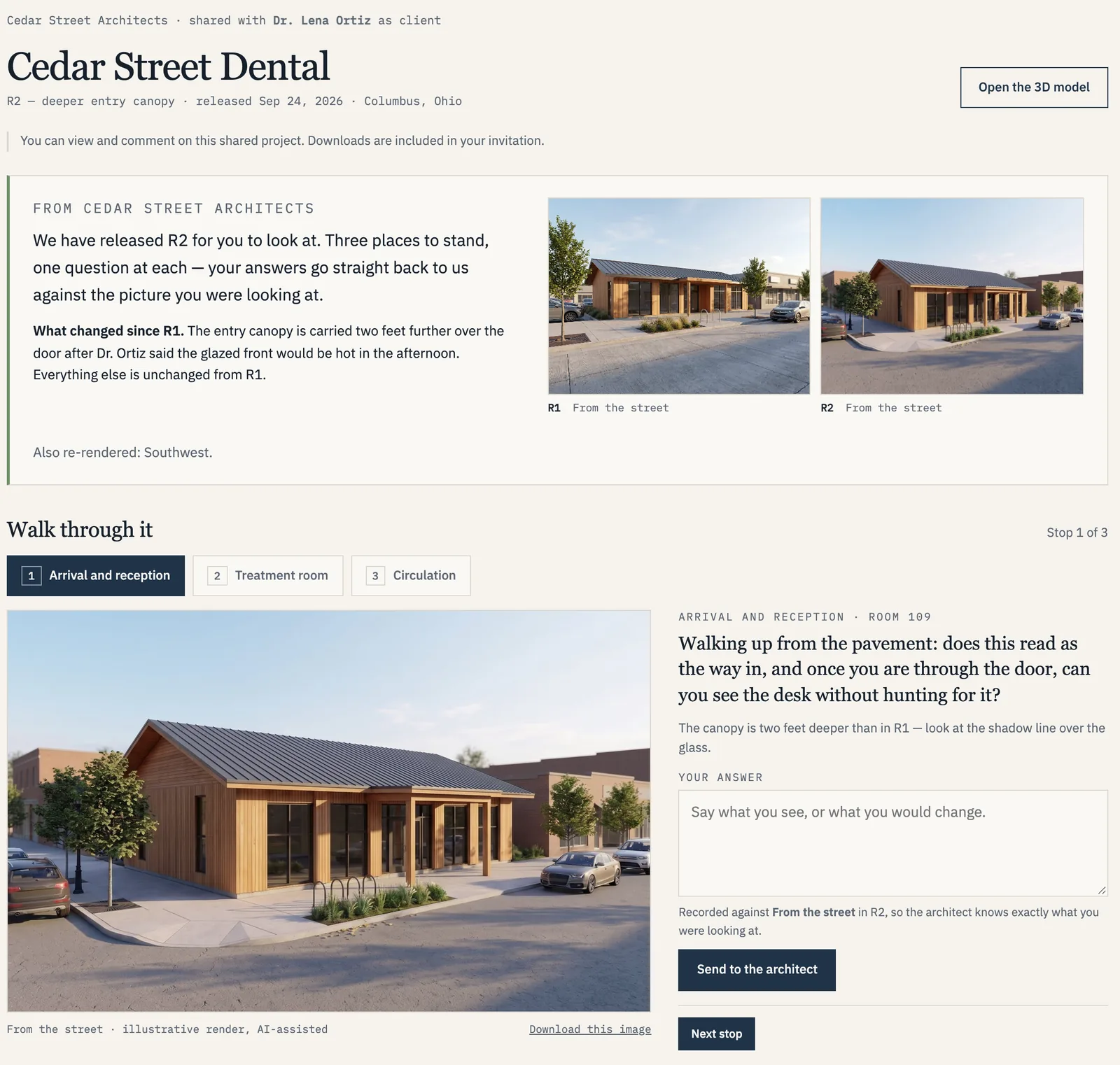
The client
A released version, a walk-through and a place to answer.
- Only the version the architect released
- A question at each stop
- Comments tied to the exact view
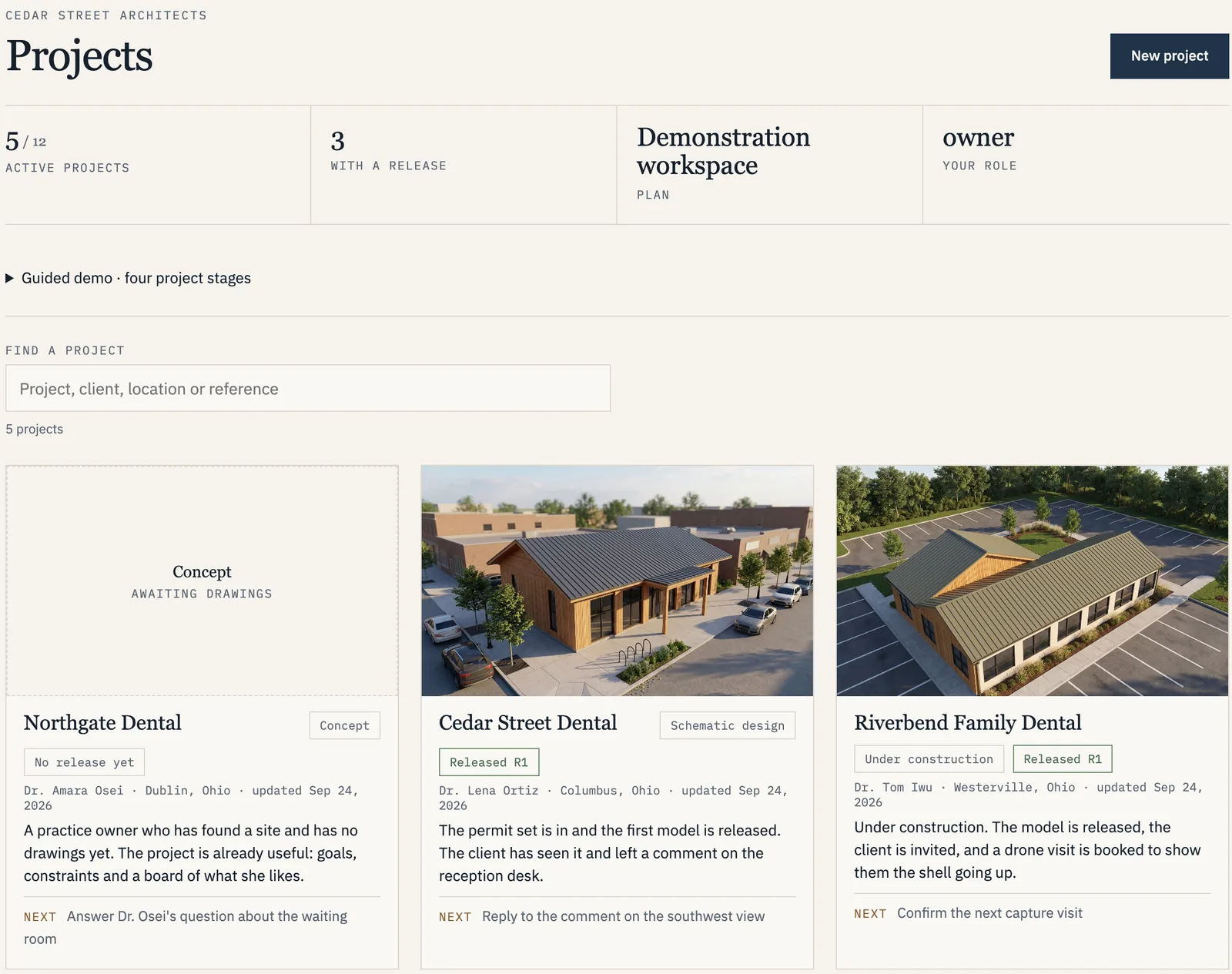
The architect
Every project, draft and invitation in one place.
- Drafts stay private until released
- Each invitation names a person, a release and an end date
- The next step on every project
Screens from the demonstration workspace. Every practice, person and flight in it is fictional.
A client or contractor sees
- The project title, after verifying their invitation.
- The released version and its revision date. Never a draft, never a superseded version unless it was the one released to them.
- The rendered study and the model study, with four labeled views.
- The assumption log. So nothing in an image is mistaken for a decision that has been made.
- A place to comment, when the architect permits it.
- Downloads, only where the architect switched them on for that invitation.
The architect sees
- Every plan-set version, its sheet index and its dates.
- Draft models and views before anything is released.
- The source, model and render comparison used in review.
- Assumption resolution and correction requests, with their outcomes.
- Each invitation: who, which release, which assets, until when.
- The activity log. Submissions, releases, invitations, revocations and downloads.
Limitations
What this is, and what it is not.
- Visualization only. The architect's issued drawings govern construction. Approving a visualization is not approving construction documents.
- No BIM or CAD deliverables. The model is a reviewed massing model for understanding a space. It is not an editable building information model and is not delivered as one.
- Conceptual renders are labeled. Finishes, landscaping, lighting and unresolved details in a rendered image may differ from the drawings, and every image carries that caption.
- Undocumented geometry stays undocumented. If it is not on a sheet, we do not invent it. It goes in the assumption log or the missing-information report.
- Outside scope. Detailed mechanical, electrical and plumbing; furniture and equipment; code and accessibility checks. Your architect and engineers remain the authority on these.
Next
See what each package delivers, or tell us about a project.
The three production packages follow this sequence exactly. The Project Workspace is where the review and the invitations live.
Explore the demo See the services → Contact the studio
Rather see it than read it? The demo walks all of this on four example projects, as the architect and as the client.